vscode - 设置 Python 版本
在使用 vscode 编码 Python 时,选择合适的 Python 版本。
解决方法
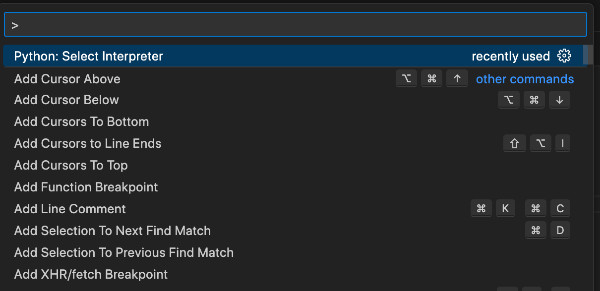
使用快捷键 Ctrl+Shift+P 打开命令窗口:
Select Interpreter
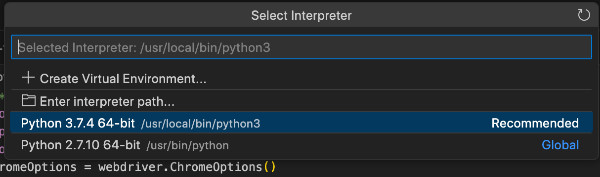
选择 “Python: Select Interpreter”,弹窗显示现有的 Python 版本:
选择解释器
回车选择需要的Python 版本即可。
在使用 vscode 编码 Python 时,选择合适的 Python 版本。
解决方法
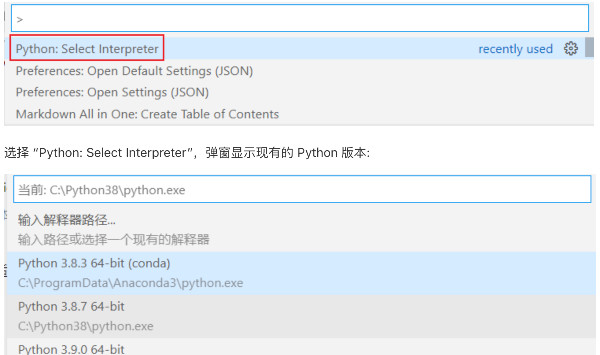
使用快捷键 Ctrl+Shift+P 打开命令窗口:
Select Interpreter
选择 “Python: Select Interpreter”,弹窗显示现有的 Python 版本:
选择解释器
回车选择需要的Python 版本即可。